

Posts Tagged ‘Web’
Introducing Our AI Receptionist — It Talks, Books Appointments, and Never Misses a Call

Most small business owners know the feeling. You’re with a client, on a ladder, or elbows-deep in a job — and your phone rings. By the time you get to it, they’ve hung up. Or worse, they called a competitor who did answer.
The solution has been around for decades: hire a receptionist ($35,000+/year) or use a “virtual receptionist” service. But virtual receptionists were never actually virtual — they were call centers with scripts, hold music, and key-press menus that sent callers into a maze before anyone said a word.
We apply AI to offer something revolutionary.
The Problem With Traditional Virtual Receptionists
If you’ve ever called a business and heard “Press 1 for sales, press 2 for support, press 3 to speak with an operator,” you’ve experienced the old way. Here’s what’s wrong with it:
- Nobody wants to press 1. Key-press menus (IVR systems) have a 50-70% abandonment rate. Half your callers hang up before they ever reach a human.
- Generic and detached. Pre-recorded greetings sound like an airport announcement. They don’t know your business, your services, your pricing, or your availability.
- Expensive call centers. Traditional virtual receptionist services charge per-minute or per-call, and the person answering has never heard of your company. They’re reading a script. Customers can tell.
- 9-to-5 mentality. Most services operate during business hours. If a lead calls at 8 PM on a Saturday — and they will — nobody’s there.
- No booking, cant answer questions A traditional receptionist takes a message. They don’t book the appointment. They cant answer questions.
How Our AI Receptionist Is Different
Our AI receptionist answers the phone like a human. Because it is human-sounding. But it’s also connected, intelligent, and never sleeps.
Are you losing deals because of missed calls?
Check out our human sounding intelligent Phone Receptionist
A human-sounding conversational AI that answers your phone when you can’t, it can even books appointments, or answer questions, and its available 24/7. Never miss a lead again. Try it: (949) 750 8995
Integrates with your existing business phone number
Integration is seamless to your existing business so there is not interruption or changes, you’ll still get your calls, but when you cant answer, instead of voicemail your customers are greeted with our intelligent AI (that can take messages just like your existing voicemail)
It Actually Talks — No Press 1, No Menus
Callers are greeted by a natural, conversational voice. They say what they need — “I need to schedule a furnace inspection” — and the AI understands. It asks the right follow-ups just like a trained receptionist would. There’s no keypad mashing, no “please listen carefully as our options have changed.” Just a conversation.
It can be taught your Business
Our AI can be configured to understand your specific services, pricing, hours, and availability. When someone calls asking “how much does an emergency repair cost?” or “are you open on weekends?” — it answers correctly, consistently, every time. It never has a bad day, never forgets a detail.
It can check your schedule and Books Appointments — Right Into Your Calendar
This is the game-changer. The AI doesn’t just take messages. It checks availability, books the appointment, sends a confirmation text to the customer, and alerts you. No back-and-forth emails. No missed calendar entries. The call becomes a booked job, automatically.
24/7, Holidays, Weekends, Always
Leads don’t only call between 9 and 5. The Tuesday evening emergency call, the Saturday morning inquiry, the holiday weekend lead — our AI answers every single one. Your voicemail never picks up again
Traditional Receptionist vs. AI Receptionist
| Feature | Traditional Virtual Receptionist | Our AI Receptionist |
|---|---|---|
| Greeting | “Press 1 for sales…” | Natural conversation |
| Call abandonment | 50-70% hang up | Near zero |
| Business knowledge | Scripted, generic | Configured to your exact services & pricing |
| Books appointments | Rarely — takes messages | ✓Can Book into your calendar live |
| Availability | Business hours | 24/7/365 |
| Dynamically Transfer calls | Requires keypad press | Intelligently determined no key press required |
| Cost | $200-$800/month | Starts at $499 setup + $149/month |
| Setup time | Days to weeks | ~2 days |
Who Is This For?
Any business that gets phone calls and can’t answer every single one. We’ve set this up for:
- Home services — plumbers, electricians, HVAC contractors, roofers, landscapers
- Professional services — law firms, accountants, real estate agents, consultants
- Healthcare — dentists, chiropractors, physical therapists
- Auto shops — mechanics, body shops, detailers
- Restaurants & hospitality — reservations, catering inquiries, event bookings
If a missed call means a missed paycheck, this pays for itself the first week.
Try It Yourself — Right Now
We set up a live demo so you can hear exactly what your customers would hear. Call our demo plumbing company and book an appointment:
(949) 750-8995 — Call the Demo Now
You’ll hear the AI answer, ask about your plumbing needs, check availability, and book an appointment. It sounds so natural most people don’t realize they’re talking to artificial intelligence — they just know their problem got handled.
Simple Pricing, No Surprises
One-time setup starting at
$499
starting at $149/month
Takes ~2 days to get live. No contracts. Cancel anytime.
A full-time receptionist in Orange County costs $35,000-50,000/year. A traditional call-answering service runs $200-800/month and still can’t book appointments. Our AI receptionist costs a fraction and works harder than any of them.
Ready to Stop Missing Calls?
Every missed call is revenue you’ll never see. The businesses that answer — every time, any time — are the ones that win. Let’s get yours set up.
Call (949) 446-1716 or email Its@InternetTechnologyServices.com to get started. Or call the demo line above and hear it for yourself first and the demo will transfer you to us upon completion.
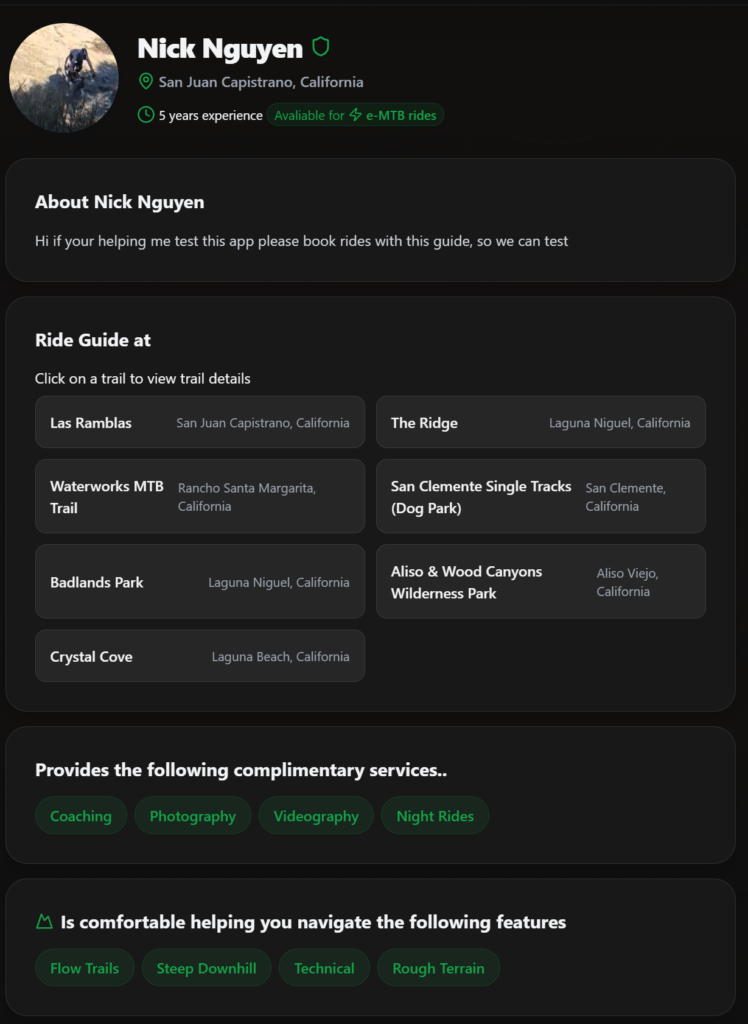
Case Study: GuideToRide.com Vibe Coded
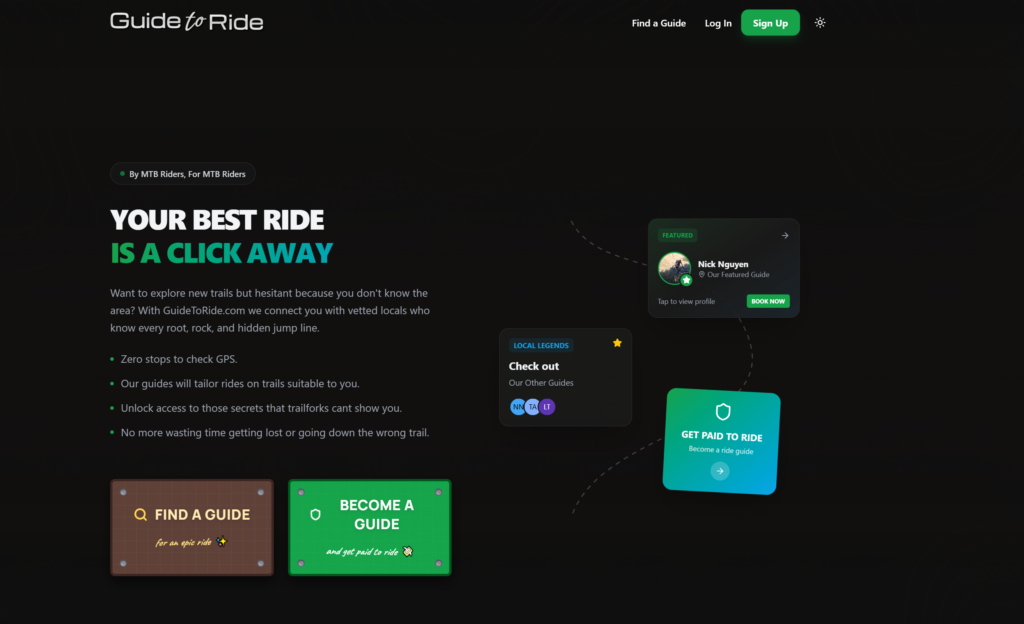
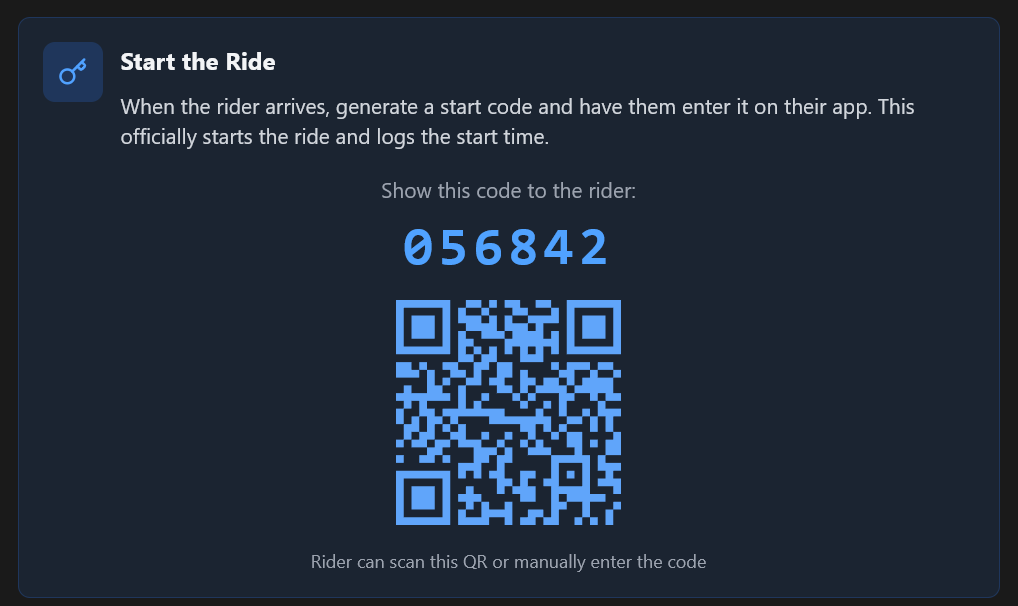
I code a robust marketplace with AI
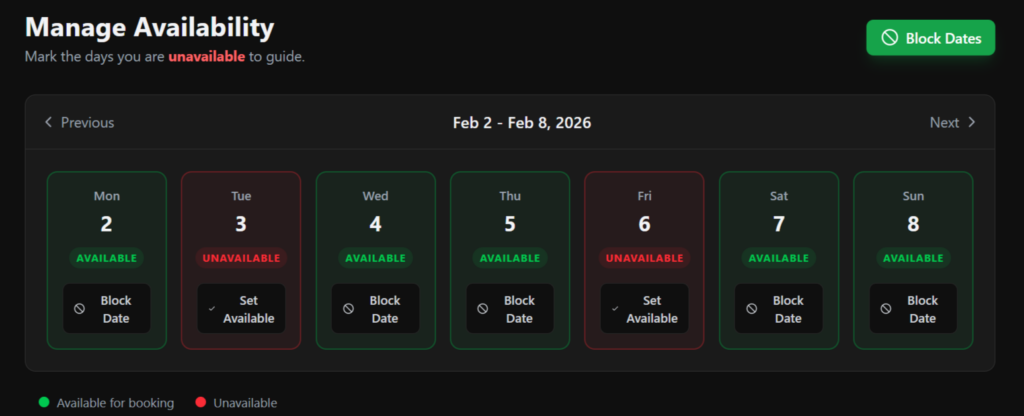
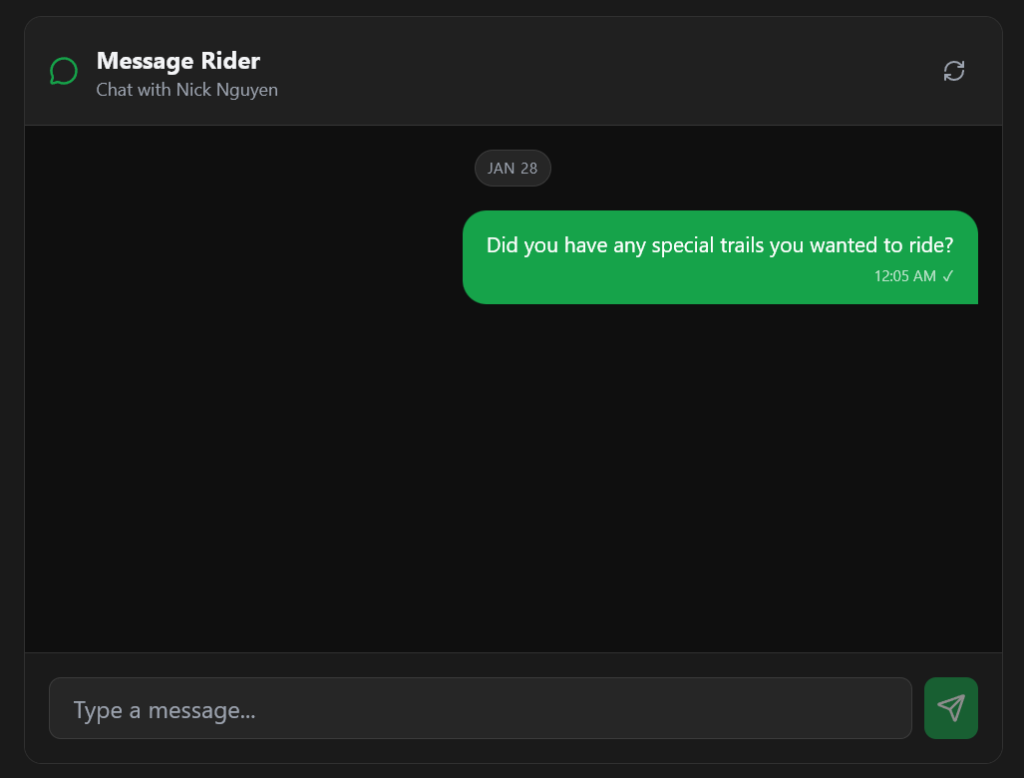
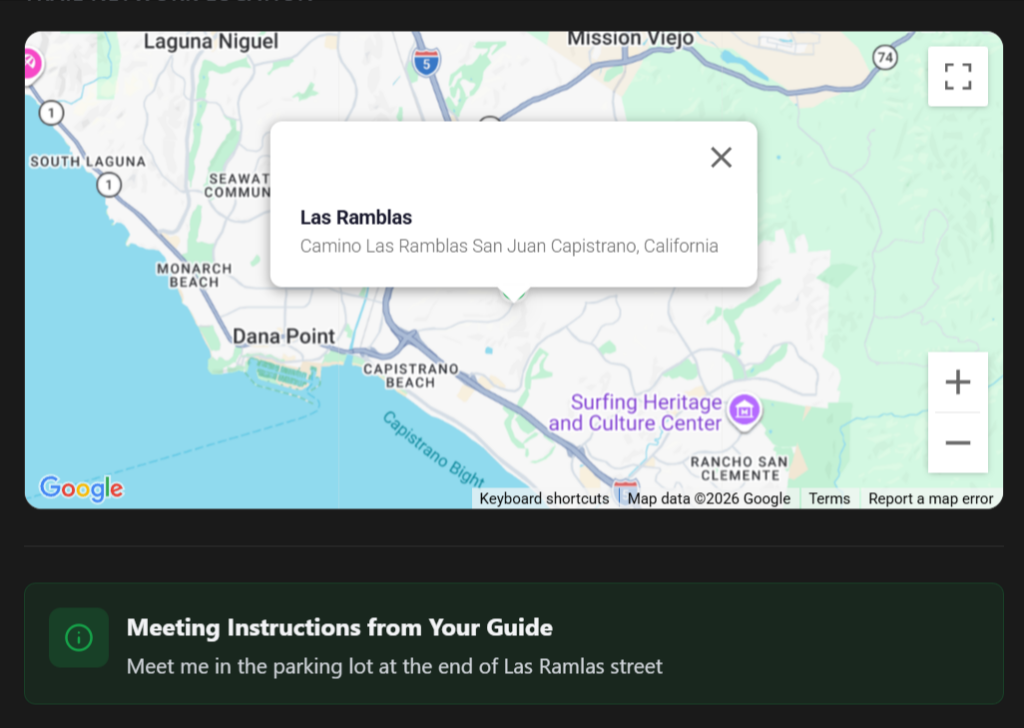
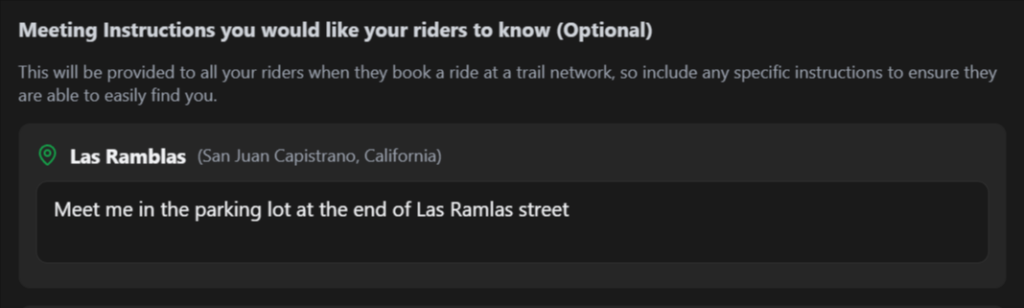
As a passionate mountain biker who loves exploring new trails, I found it challenging, and initially most of my time was spent getting lost. Along the way, I realized having a local show me around makes a huge difference in the fun factor of the ride. So I created guidetoride.com to address a common pain point for riders, with the solution being to connect riders with locals, removing the friction for exploring riders associated with exploring new trails, meanwhile supporting local community riders.
I gave up along the way, the technology wasn’t there yet. Anthropics’ Claude was the game changer; working with AI felt like I was collaborating with a senior-level developer. The most remarkable aspect was that AI didn’t require small talk and was available to work 24/7, which made the development process incredibly enjoyable and efficient. Initially, I encountered some minor mistakes—like variable names being incorrect or functions not quite aligning with my intentions. However, as the technology evolved, so did my AI partner’s capabilities.
Over time, it began making thoughtful recommendations that enhanced the coding process. While Claude was busy scripting, I seized the opportunity to immerse myself in learning about new tech stacks and APIs. This knowledge allowed me to effectively direct my AI partner in the implementation of various features. I found myself not just coding, but educating myself on how to optimize the development process.
In my quest for efficiency, I automated my workflow significantly. Implementing Docker streamlined my application environments, and I adopted a meticulous Git workflow to manage my code versions effectively. Leveraging AWS services like ECR and App Runner enabled me to achieve one-click deployments, significantly cutting down the time to launch updates.
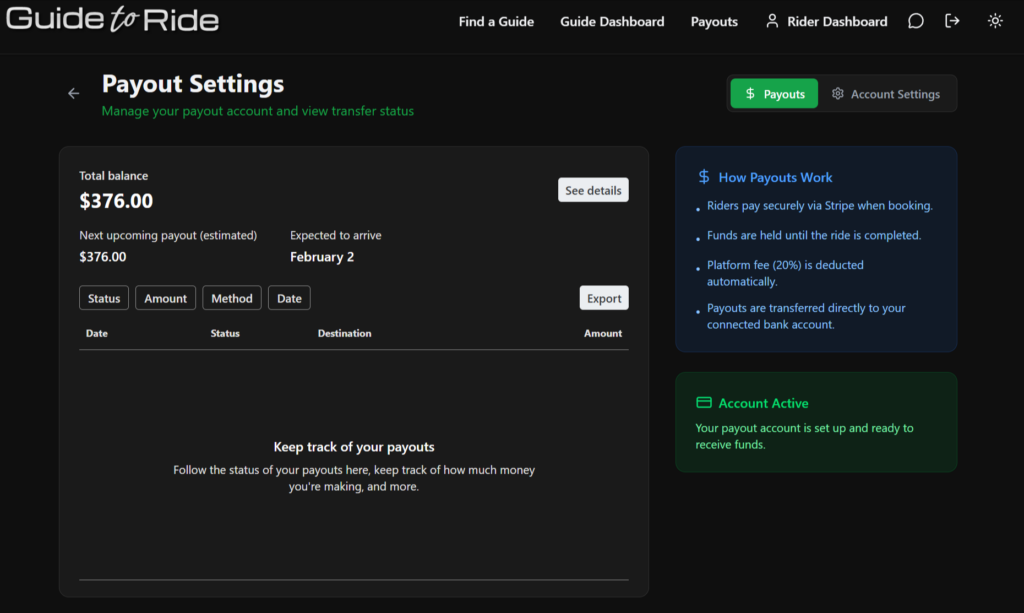
Additionally, I automated payment distribution through Stripe Connect accounts, which simplified the financial transactions related to the project. I also integrated Amazon S3 to serve the front end, ensuring fast and reliable access to static resources. To manage the connection between the backend and frontend efficiently, I utilized CloudFront, which provided low-latency delivery of my content.
This comprehensive automation of my development workflow has allowed me to focus on innovation rather than operational concerns. I no longer have to worry about scaling servers in production; the infrastructure I’ve built is robust and adaptable. The combination of an intelligent AI partner and a well-structured, automated system has transformed my approach to development, ultimately making the process smoother and significantly more productive.




Leveraging AI for Personalized User Experiences in Web Applications

Remember the days of one-size-fits-all websites? They felt a bit like getting a generic birthday card – nice gesture, but not exactly personal. Today, users expect more. They crave experiences tailored specifically to them. Enter Artificial Intelligence (AI).
AI isn’t just sci-fi anymore. It’s the engine driving truly personalized user experiences in modern web applications. It transforms generic interactions into relevant, engaging journeys.
Why does this matter? Because personalization isn’t just a nice-to-have; it’s a business imperative.
The Power of Personal Touch (Even Digitally)
Generic experiences are forgettable. Personalized ones stick. When a web application understands and anticipates a user’s needs, magic happens:
- Engagement Soars: Users spend more time interacting when content and features resonate.
- Conversions Climb: Relevant recommendations and tailored pathways lead users towards desired actions.
- Loyalty Builds: Feeling understood fosters a stronger connection between the user and the brand.
Think about it: you’re more likely to return to a coffee shop that remembers your usual order. AI helps your web application do the digital equivalent. Ignoring personalization is like serving everyone plain vanilla – safe, but boring.
How AI Weaves the Personalization Magic
AI achieves this through several key capabilities:
-
Mastering the Data Deluge: AI algorithms excel at processing vast amounts of user data – browsing history, click patterns, demographics, past purchases, time spent on pages. This isn’t just collecting data; it’s understanding the story behind it. Of course, handling this data securely and efficiently requires a solid foundation. Reliable Cloud Services are crucial for managing the infrastructure needed for AI-driven insights.
-
Predicting the Future (Sort Of): Based on historical data and patterns, AI uses predictive analytics to anticipate what a user might want or do next. It can forecast preferences, potential churn, or the likelihood of conversion. It’s less crystal ball, more highly educated guess.
-
Smarter Recommendations: This is the classic example. Think Netflix suggesting shows or Amazon recommending products. AI analyzes user behavior and compares it to similar users to suggest relevant content, products, or features within your web application. This keeps users engaged and helps them discover value they might otherwise miss.
-
Dynamic Interfaces: Why should everyone see the exact same layout? AI can subtly adjust the user interface (UI) or user experience (UX) based on individual preferences or behavior. This could mean highlighting certain features, rearranging modules, or simplifying navigation for specific user segments. Building such adaptable interfaces requires skilled developers, whether for complex Web Application Development or creating flexible themes within platforms like WordPress (WordPress Development Services).
-
Personalized Search & Discovery: Generic internal search results can be frustrating. AI can personalize search results within your application, prioritizing information most relevant to the individual user based on their past interactions and profile. This mirrors the principles of good external Search Engine Optimization, focusing on delivering the most relevant results quickly.
-
Intelligent Conversations: AI-powered chatbots and virtual assistants offer instant, personalized support 24/7. They can access user history to provide relevant answers, guide users through processes, and even handle transactions – all in a conversational manner. Need a chatbot that truly understands your customers? Explore Custom Conversational AI Agents.
Personalization in Action
Let’s look at some examples:
- E-commerce: Suggesting complementary products (“Customers who bought this also liked…”), personalized promotions, or even dynamically adjusting product displays based on browsing history.
- Content Platforms: Curating news feeds, recommending articles or videos based on reading/viewing habits. Many successful content sites rely on robust platforms and custom features, often built through expert WordPress Development Services.
- SaaS Applications: Offering personalized onboarding flows, highlighting relevant features based on user roles or usage patterns, and providing proactive tips. This level of sophistication is a hallmark of well-executed Web Application Development.
- Mobile Experiences: Extending personalization seamlessly to handheld devices, using location data (with permission!) or app usage patterns for tailored notifications and content. This requires dedicated focus during Mobile Application Development.
Ready to Get Personal?
Implementing AI personalization doesn’t have to be an overwhelming overhaul.
- Start Focused: Identify 1-2 key areas where personalization could have the biggest impact on your user experience and business goals.
- Data is Your Foundation: Ensure you have clean, accessible, and ethically sourced user data. Robust data management, often supported by scalable Cloud Services, is non-negotiable.
- Choose the Right Tools & Partners: Select AI tools and platforms that fit your needs and technical capabilities. Often, integrating these tools effectively requires expertise in Web Application Development or specific AI integrations.
- Iterate and Refine: AI personalization is not a set-it-and-forget-it solution. Continuously monitor results, gather feedback, and refine your algorithms.
The Future is Tailored
AI-driven personalization is rapidly shifting from a competitive advantage to a baseline expectation. Users increasingly expect digital experiences that understand and adapt to them. By leveraging AI, you can move beyond generic interactions and build web applications that feel intuitive, relevant, and genuinely helpful.
Ready to explore how AI can transform your user experience? Whether it’s building intelligent web applications, deploying custom AI agents, or ensuring your cloud infrastructure is ready, we can help.
Beyond Keywords: Using AI SEO Tools for Semantic Search Optimization

Semantic Search: Why Your Keyword List Needs an AI Sidekick
Remember the good old days of SEO? Stuff a keyword in the title, sprinkle it generously throughout the text (maybe even hide some in white text on a white background – shhh!), and voilà! Rankings galore.
Okay, maybe it wasn’t that simple, but keyword density used to be king.
Those days are long gone.
Search engines, now powered by sophisticated Artificial Intelligence (AI), understand language much like humans do. They grasp context, infer intent, and recognize the subtle relationships between words and concepts. This is the era of semantic search.
Sticking solely to outdated keyword-stuffing tactics is like trying to navigate a modern bustling city with a map from the 1800s. You might stumble upon something, but it’s highly unlikely to be precisely what you were looking for.
What Exactly is Semantic Search?
Think of it this way:
You submit a search query like “best apple pie recipe.”
Old SEO approaches would primarily focus on matching the exact words: “best,” “apple,” “pie,” “recipe.”
Semantic search, however, understands the underlying user need and connects related concepts. It understands you are looking for:
- Instructions on how to bake.
- Ingredients typically involved (apples, flour, sugar, cinnamon).
- Highly-rated or popular variations of the recipe.
- Perhaps even variations like vegan or gluten-free options.
Semantic search connects these concepts. It understands the why behind your search query. It’s less about simply matching exact strings of text and significantly more about matching the intended meaning. Google’s ultimate goal is to deeply understand the intent behind a user’s query, not just the specific keywords they used.
Why Your Keyword List Isn’t Sufficient Anymore
Let’s be clear: traditional keyword research is still an important component of SEO strategy. However, focusing only on specific, isolated keywords misses the much larger and more critical picture in the age of semantic search.
- Synonyms & Variations: People phrase their searches in countless different ways. AI helps Google understand that phrases like “cloud computing services,” “cloud infrastructure management,” and “online server hosting” can all relate to the same fundamental user need for cloud solutions.
- Context Matters: The meaning of a word like “Java” changes drastically depending on whether the surrounding text is discussing coffee, computer programming, or a geographical island. Semantic search is designed to discern this crucial context.
- User Intent: Is the searcher primarily looking to learn something (informational intent), make a purchase (transactional intent), find a specific website (navigational intent), or compare different options (commercial investigation intent)? Your content must align precisely with this underlying intent. Trying to push a hard sale in response to a purely informational query simply won’t be effective.
Ignoring the principles of semantic search means you are highly likely to miss out on valuable organic traffic from users whose queries may not perfectly match your predefined target keywords, but whose intent aligns perfectly with the products or services you offer.
Welcome Your AI SEO Sidekick
This is precisely where AI-powered SEO tools become incredibly valuable. They move beyond basic keyword tracking and analysis to examine content and search trends through a sophisticated semantic lens. Think of these tools as your translators, helping you effectively communicate in Google’s increasingly nuanced and human-like language.
These advanced tools leverage machine learning algorithms and Natural Language Processing (NLP) – the same core technologies that power sophisticated chatbots and virtual assistants – to understand online content much like a human would (albeit a very fast, data-driven, and analytical human).
How AI Tools Enhance Semantic Optimization
AI SEO tools are far more than just fancy keyword finders. They offer deep, actionable insights that drive semantic optimization:
- Topic Cluster Analysis: AI analyzes vast amounts of data to identify the main topics and related subtopics you should comprehensively cover to demonstrate authority and expertise in your niche. This helps you structure your content logically around themes, creating comprehensive resources that fully satisfy user intent. A well-organized website structure, perhaps built on flexible platforms like WordPress, makes implementing these topic clusters significantly easier. Need expert assistance in structuring your WordPress site for optimal semantic SEO? Explore our WordPress Development Services.
- Content Gap Identification (Semantically!): Instead of simply seeing which specific keywords your competitors rank for, AI tools analyze the broader topics and the semantic structure of their content. This reveals conceptual gaps in your content strategy, highlighting areas where you can create content that provides more value, depth, and context to your audience.
- User Intent Analysis: AI algorithms are capable of analyzing search queries alongside the content that currently ranks highest for those queries to infer the most probable intent behind them. This crucial insight allows you to tailor your landing pages, specific app features, or blog posts to precisely match what the user is trying to achieve. Understanding user intent is critical regardless of whether you’re developing a helpful Web Application or designing an engaging Mobile Application.
- NLP-Powered Content Optimization: These tools analyze your written text for semantic relevance, readability, and even sentiment. They suggest related terms, concepts, and phrases (going beyond just exact-match keywords) to include, helping you create richer, more contextually relevant content that resonates deeply with both human readers and AI-powered search engines. This same advanced NLP understanding is fundamental to powering effective, human-like customer interactions. Interested in leveraging this technology for your business? Explore our services for Custom Conversational AI Agents.
- Schema Markup Assistance: Structured data, often using Schema.org vocabulary, explicitly tells search engines what specific type of content you have (e.g., “this is a recipe,” “this is an event listing,” “this is a product page”). Some advanced AI tools can analyze your content and suggest or even help generate the appropriate Schema markup. This significantly improves how search engines understand the context and meaning of your information, potentially leading to richer search result snippets. Ensuring your underlying website infrastructure, which might be managed via reliable Cloud Services, is configured to handle structured data smoothly is also a key technical consideration.
Practical Steps for Implementing Semantic SEO
- Think in Terms of Topics and Themes, Not Just Isolated Keywords: Plan your content strategy around broader subjects and delve into related questions and subtopics comprehensively within each piece.
- Prioritize User Intent: Always ask yourself why someone is searching for a particular term. Create content that directly addresses their underlying need or goal.
- Write Naturally and Conversationally: Use a variety of synonyms, related terms, and natural language. Your primary audience is humans; the AI-powered search engines are sophisticated enough to understand well-written content. Avoid awkward keyword stuffing at all costs.
- Structure Your Content Logically: Use clear, descriptive headings (H2s, H3s) and break up large blocks of text with shorter paragraphs and bullet points. Make information easy for users to scan and digest.
- Leverage AI Tools Strategically: Utilize AI-powered SEO tools for research, in-depth analysis, and optimization suggestions, but always apply human oversight and critical thinking. They are powerful assistants, not autonomous decision-makers for your content strategy.
The Indispensable Human Touch
While AI tools are incredibly powerful assistants, they are not and cannot replace human strategy, creativity, and empathy. They provide data, analysis, and suggestions; you provide the authentic brand voice, the unique insights derived from your experience, and the deep understanding of your specific target audience’s needs and desires.
AI might tell you what topics are semantically relevant, but how you choose to cover them – your unique perspective, real-world examples, storytelling, and genuine connection with the reader – that remains a uniquely human contribution. (And let’s be honest, AI hasn’t quite mastered witty banter or genuine emotional resonance… at least not yet!)
Moving Beyond Outdated Keyword Strategies
Semantic search is not just the future; it is the current reality of SEO. By strategically embracing AI-powered tools and approaches, you can move beyond outdated, simplistic keyword tactics and focus on what genuinely matters in the digital age: creating highly valuable, comprehensive, and contextually rich content that meets user intent directly and effectively.
This modern approach not only leads to improved search engine rankings but also helps you build authority in your niche, deeply engage your target audience, and ultimately drive better, more sustainable business results – regardless of whether your focus is on developing the next innovative web application, managing complex cloud infrastructures, or integrating cutting-edge AI solutions.
Feeling ready to optimize your content for the semantic web but unsure of where to begin or how to best leverage AI? Our expert team is here to help you navigate the complexities of modern digital marketing and search optimization. Explore our Search Engine Optimization Services to learn how we can assist you.
Why Regular Security Audits are Crucial for Your Web Application
Your web application is a vital business asset. It might serve as your storefront, your primary service delivery platform, or even the core of your daily operations. But a critical question looms: Is it truly secure?
In today’s constantly evolving digital landscape, simply assuming safety is a dangerous gamble. Cyber threats are becoming increasingly sophisticated. Consequently, regular security audits are no longer an optional best practice; they are essential, fundamental maintenance for your digital infrastructure.
Think of it like servicing your car. You wouldn’t wait for a major breakdown before getting an oil change or checking the brakes, right? Security audits function as the necessary, proactive check-ups your web application requires to stay healthy and protected.
What Exactly Constitutes a Security Audit?
A web application security audit is a systematic and comprehensive evaluation of your application’s defenses. This process involves rigorous testing and analysis specifically designed to uncover vulnerabilities that malicious actors could potentially exploit.
Crucially, this goes far beyond merely running an automated scanner. A thorough audit typically combines powerful automated tools with meticulous manual testing performed by experienced security experts. These professionals will probe and test your application, mimicking the techniques a real attacker would use – with the critical difference being that they report their findings back to you rather than stealing your data or disrupting your services.
Identify Weaknesses Before Cybercriminals Do
The digital threat landscape is dynamic; new vulnerabilities are discovered every day. What was considered secure yesterday could potentially be vulnerable today. Cybercriminals are constantly scanning for easy targets to exploit.
Regular audits empower you to identify common and emerging weaknesses, such as:
- SQL Injection: Manipulating your database through input fields.
- Cross-Site Scripting (XSS): Injecting malicious scripts into web pages viewed by other users.
- Insecure Authentication/Authorization: Flaws in how users log in and what actions they are allowed to perform.
- Sensitive Data Exposure: Unintentional leakage or inadequate protection of confidential information.
- Security Misconfigurations: Errors in server, network, or application settings that create vulnerabilities.
Finding these flaws before an attacker discovers them is the primary objective. It’s analogous to diligently checking the locks on your doors before a burglar attempts to gain entry. Neglecting security audits? That’s akin to leaving your door wide open with a sign reading ‘Free Data Inside.’ Less appealing than free cookies, and infinitely more damaging.
Safeguard Your Most Valuable Asset: Data
Your web application likely handles sensitive and confidential information, ranging from customer details and financial data to proprietary business logic. A data breach involving this information can have catastrophic consequences.
Audits play a vital role in verifying that your data protection measures are robust and effective. This includes assessing encryption (both data in transit and data at rest), scrutinizing access controls, and reviewing overall data handling procedures.
Failure to protect data adequately can result in substantial fines under regulations like GDPR or CCPA, alongside causing irreparable damage to your brand’s reputation.
Preserve Customer Trust and Enhance Brand Reputation
Trust is painstakingly earned and alarmingly easy to lose. A security breach can erode customer confidence faster and more severely than almost any other incident.
Would you willingly entrust your sensitive information to a business that has demonstrated an inability to protect data? Most likely not.
Demonstrating a proactive commitment to security through regular audits significantly builds and maintains trust. It signals to customers, partners, and stakeholders that you prioritize their security and privacy. A secure application is not merely a technical feature; it’s a fundamental cornerstone of your brand’s integrity and reliability. This positive reputation can also indirectly boost your online visibility, complementing efforts like Search Engine Optimization (SEO).
Ensure Essential Business Continuity
Imagine a scenario where your web application is suddenly rendered inoperable due to a cyberattack. What is the potential cost to your business?
- Significant loss of revenue.
- Severe decrease in productivity.
- High emergency recovery expenses.
- Potential legal fees and settlements.
Security incidents have the potential to halt your operations entirely. Audits help prevent devastating attacks like Denial of Service (DoS) or ransomware that can cripple your business functions. Keeping your application running smoothly and reliably is absolutely paramount.
Meet Compliance and Regulatory Obligations
Numerous industries operate under specific security standards and regulatory frameworks (e.g., HIPAA for healthcare, PCI-DSS for payment card processing). Regular security audits are frequently a mandatory requirement for maintaining compliance with these standards.
Failing an audit or neglecting to conduct them altogether can lead to severe penalties, loss of essential certifications, and significant legal troubles. Audits provide the necessary documentation and evidence to demonstrate due diligence and adherence to required standards.
Optimize Performance and Improve Code Quality
In some instances, security vulnerabilities can originate from inefficient, outdated, or poorly written code. The systematic process of identifying and remediating these security flaws often naturally leads to cleaner, more optimized code.
This can result in a tangible improvement in your application’s performance and overall stability. Secure coding practices, which are a significant focus during our Web Application Development process, frequently go hand-in-hand with developing efficient and robust code.
Secure Your Underlying Infrastructure, Especially in Cloud Environments
Your application does not exist in isolation. It operates on servers, potentially within complex cloud computing environments. A comprehensive audit must extend to assessing the security posture of this underlying infrastructure.
Are server configurations properly hardened? Are network security rules appropriately defined and enforced? Is access to infrastructure components properly managed and monitored? This is especially critical if you leverage cloud platforms; ensuring these environments are securely configured and maintained is vital. Our Cloud Services expertise focuses on designing, setting up, and managing secure and resilient cloud infrastructure.
Don’t Overlook Third-Party Integrations (Including AI!)
Modern web applications are rarely monolithic; they typically integrate with a variety of third-party services, external APIs, and increasingly, advanced AI systems. Each point of integration represents a potential entry point that attackers could exploit.
Security audits must thoroughly examine these external connections. Are APIs properly secured and authenticated? Is data exchanged securely between your application and external services? If you are enhancing user experience or automating processes with tools like our Custom Conversational AI Agents, ensuring their secure integration is absolutely vital.
What About Companion Mobile Applications?
If your web application has a complementary mobile app, its security is equally critical. Mobile applications have their own unique set of vulnerabilities related to device storage, secure API communication, and platform-specific security considerations.
Achieving comprehensive security requires auditing both the web application front-end and any associated mobile applications. While our Mobile Application Development process incorporates security best practices from the initial design phase, regular audits remain crucial post-launch.
Specific Platforms Demand Specific Attention (Like WordPress)
Are you utilizing a popular Content Management System like WordPress? This platform has a vast ecosystem of themes and plugins, each of which can potentially introduce new vulnerabilities.
Audits for WordPress-based sites require specialized expertise to meticulously check core file integrity, theme and plugin security, user role configurations, and common WordPress-specific attack vectors. If your site is built on WordPress, specialized and regular audits are essential. Our WordPress Development Services team possesses the specific knowledge needed to address these nuances.
How Frequently Should You Conduct Audits?
There is no single, universally applicable answer, but the principle of “regularly” is paramount. When determining frequency, consider the following factors:
- Risk Level: High-traffic e-commerce platforms handling sensitive financial data require more frequent and in-depth audits than simple brochure websites.
- Compliance Requirements: Specific industry regulations may mandate a minimum audit frequency (e.g., annually for PCI-DSS).
- Application Changes: Conduct audits after significant application updates, major feature releases, or substantial changes to your underlying infrastructure.
- General Best Practice: Annually is a common baseline for many applications, with quarterly or bi-annual audits recommended for applications handling higher-risk data or critical business processes.
Invest in Security, Don’t Just React to Disaster
Security audits should not be viewed as a mere expense; they are a critical investment in the stability, reputation, and long-term future of your business. Proactive security measures are invariably less costly and significantly less stressful than attempting to recover from the aftermath of a major security breach.
Do not wait for a security incident to occur and force your hand. Make regular, systematic security audits a standard and integral part of your web application’s lifecycle. It is the intelligent, responsible, and ultimately more cost-effective way to protect your valuable digital assets and maintain the trust of the customers who rely on you with their data.
Case Study: The case against shared hosting

Case Study: Using Web Bots to hunt for B2B marketing leads

How We Obtained Vendor Email Addresses
Let’s use Houzz.com as our target for this example (for educational purposes). Our goal was to obtain email addresses from the businesses listed in their online vendor directory.
The core problem was that the email addresses ARE NOT directly available on the Houzz website.
Below, we’ll walk you through the strategy and implementation we used to overcome this challenge and acquire the necessary data.

The Houzz BOT at work….Console reporting back results
Analysis of Site and Strategy Used

Houzz vendor listings
Targets Indexed
So, we used the Houzz vendor listing pages to index all the vendors, who were our initial targets.

Vendor Detail Page
Email Workaround
We then programmed our bot to visit each vendor’s individual profile page on Houzz and collect any relevant details available there. Unfortunately, as anticipated, no email address was listed directly on these pages. But, they did provide the vendor’s official website URL. This gave us our next target.

Vendors Website
Obtain Payload
Our bot was then directed to the vendor’s own website. We instructed it to scour the various pages of that site (commonly looking at “Contact Us,” “About Us,” or footer information) specifically in search of an email address – our desired “payload.”
Here is the PHP code for the bot’s logic, which you can access in the Bitbucket repository.
The MySQL database insertion code is commented out in the provided script. This is in case you prefer to store the retrieved data in a database rather than a file. In this specific implementation, I opted to place the results directly into a CSV file.
The script writes two CSV files:
1. One file used in Step 1 for indexing the vendor website URLs found on Houzz.
2. In Step 2, this CSV file of target vendor website URLs is then used as the input for the bot to search for email addresses on those external sites.
Feedback and progress updates are outputted in the terminal during the script’s execution using fwrite(STDOUT).
```php
    //You can get these files over at my https://bitbucket.org/nicknguyenzrd/houzzbot/
    require("crawler.php");
    require("CSSQuery.php");


    /* Uncomment below to store data in MYSQL
    $servername = "localhost";
    $username = "root";
    $password = "";
    $dbname = "invoice";

// Create connection
$conn = new mysqli($servername, $username, $password, $dbname);

    // Check connection
    if ($conn->connect_error) {
        die("Connection failed: " . $conn->connect_error);
    }
    */

    //Step 1: Gather Houzz Links
//Open Links File because thats where well dump our data payload
$handle = fopen("links.txt", "r");
    $id=94;
$type=1;
//Data Placeholder Array
$data['href']=array();
$data['company']=array();
$data['type']=array();
$data['id']=array();
$id=1;

//Deal with multiple page results with The All Powerful Iterative Loop
for ($i = 1; $i <= 30; $i++) {
$doc = new DOMDocument();

if($i===1) {
    $p=0; //To grab the first page had a different URL
    $doc->loadHTML( file_get_contents( "http://www.houzz.com/professionals/landscape-architect/orange-county"));
} else {
    //Every Page after the first page "/p/{page number}"
    $doc->loadHTML( file_get_contents( "http://www.houzz.com/professionals/landscape-architect/orange-county/p/" . $p ) );
}

//Webpage loaded for us
$css = new CSSQuery( $doc );
$arr = array();
$arr = $css->query( 'a.pro-title' );

foreach ( $arr as $a ) {
    //Get URL Link Filter out Javascript
    if ( $a->attributes->getNamedItem( 'href' )->value === "javascript:;" ) {
    } else {
        //Store link and company name
        $data['id'][]=$id;
        $data['href'][]    = $a->attributes->getNamedItem( 'href' )->value;
        $data['company'][] = $a->nodeValue;
        $data['type'][]=1;

        //Open our List of Links Page
        $handle = fopen('links.txt',"a+");
        $somecontent = $a->attributes->getNamedItem( 'href' )->value."\r\n"; // Use \r\n for Windows/Linux compatibility
        fwrite($handle,$somecontent);
        fwrite(STDOUT, $somecontent);
        fclose($handle);
        $id++;
    }
}
$p=$p+15;
sleep(1);
unset($doc);
unset($css);
//var_dump( $data );
}


//Step 2: Gather company details (Houzz doesnt list email addresses), so well have to improvise and go to there website to acquire target email contact if its listed on there website.
//Make sure we double check were dealing with valid URLS cause that can really fuck things up once this bitch is fired up!
function get_valid_url( $url ) {
$regex = "((https?|ftp)://)?"; // Scheme
$regex .= "([a-z0-9+!*(),;?&=\$_.-]+(:[a-z0-9+!*(),;?&=\$_.-]+)?@)?"; // User and Pass
$regex .= "([a-z0-9-.]*).([a-z]{2,3})"; // Host or IP
$regex .= "(:[0-9]{2,5})?"; // Port
$regex .= "(/([a-z0-9+\$_-].?)+)*/?"; // Path
$regex .= "(\?[a-z+&\$_.-][a-z0-9;:@&%=+/\\$_.-]*)?"; // GET Query
$regex .= "(#[a-z_.-][a-z0-9+\$_.-]*)?"; // Anchor
return preg_match("/^$regex$/", $url);
}


if ($handle) {
while ( ( $line = fgets( $handle ) ) !== false ) {
    $email="";
    $website="";
    $url="";
    $name="";
    $company="";
    $phone="";
    $link="";
    $tier="";
    $location="";
    $license="";
    $error="";
    $sql="";

    $doc = new DOMDocument();
    // Suppress errors for malformed HTML
    @$doc->loadHTML( file_get_contents( trim($line) ) ); // Trim whitespace from line

    $css               = new CSSQuery( $doc );

    //Houzz Link to profile
    $data['link']=$line;
    $link=trim($line);

    //Company Name
    $nrr               = $css->query( 'a.profile-full-name' );
    if (isset($nrr[0]) && $nrr[0]->textContent) {
        $data['company'][] = $nrr[0]->textContent;
        $company=$nrr[0]->textContent;
        fwrite(STDOUT, "Starting: ".$id.":".$nrr[0]->textContent."\r\n");
    } else {
         $company = "N/A";
         fwrite(STDOUT, "Starting: ".$id.": Company Name Not Found\r\n");
    }


    //Website and Email Addresses TODO add conditional statement
    $arr               = $css->query( 'a.proWebsiteLink' );
    $website_found = false;
    foreach ( $arr as $a ) {
        $url= $a->attributes->getNamedItem( 'href' )->value;

        // Basic URL validation before attempting to crawl
        if (filter_var($url, FILTER_VALIDATE_URL)) { // More robust URL validation
            $data['website'][] = $url;
            $website = $url;
            $website_found = true; // Mark that a website was found
            fwrite(STDOUT, "Attempting site: ".$url."\r\n");

            // Simple email extraction - a real crawler would be more sophisticated
            $site_content = @file_get_contents($url); // Use @ to suppress errors for unreachable sites
            if ($site_content !== FALSE) {
                 // Regex to find email addresses
                if (preg_match('/\b[A-Za-z0-9._%+-]+@[A-Za-z0-9.-]+\.[A-Z|a-z]{2,}\b/', $site_content, $matches)) {
                    $email = $matches[0];
                    // Output indicating email address discovered CLI
                    fwrite(STDOUT, "Found Email Address: ".$email."\r\n");
                } else {
                     fwrite(STDOUT, "No Email Address Found on Site\r\n");
                }
            } else {
                fwrite(STDOUT, "Could not retrieve content from site: ".$url."\r\n");
                $error .= "Could not retrieve content from site; ";
            }

            // Only try the first valid URL found
            break;
        } else {
            fwrite(STDOUT, "Invalid Website URL found: ".$url."\r\n");
             $error .= "Invalid Website URL; ";
        }
    }
     if (!$website_found) {
        $website = "N/A";
         fwrite(STDOUT, "No Website URL found on Houzz profile\r\n");
     }


    //Phone Number
    $phone_found = false;
    $crr = $css->query( 'span.pro-contact-text' );
    foreach ( $crr as $c ) {
        if($c->nodeValue!=="Website") { // Exclude the "Website" text itself
            $phone = trim($c->nodeValue); // Trim whitespace
            $data['phone'][] = $phone;
            $phone_found = true;
            break; // Assume only one phone number listed this way
        }
    }
    if (!$phone_found) {
        $phone = "N/A";
    }


    //All company details (Contact, Location, License, Tier)
    $info = $css->query( 'div.info-list-text' );
    $name = "N/A";
    $location = "N/A";
    $license = "N/A";
    $tier = "N/A";

    foreach ( $info as $i ) {
        $text = trim($i->nodeValue); // Trim whitespace from text content

        //Person to contact
        if (strpos( $text, "Contact:" )!==FALSE) {
            $name = str_replace( "Contact:",'', $text );
            $name = trim($name);
            $data['contact'][] =$name;
        }
        //Address/Location
        if (strpos( $text, "Location:" )!==FALSE) {
            $location = str_replace( "Location:",'', $text );
            $location = trim($location);
            $data['location'][]=$location;
        }
        //License Number
        if (strpos( $text, "License Number:" )!==FALSE) {
            $license=str_replace( "License Number:",'', $text );
            $license=trim($license);
            $data['license'][] =$license;
        }
        //Tier (Typical Job Costs)
        if (strpos( $text, "Typical Job Costs:" )!==FALSE) {
            $tier =str_replace( "Typical Job Costs:",'', $text );
            $tier=trim($tier);
            $data['tier'][]=$tier;
        }
    }


    // Write architect contact information into a CSV file
    $wr= fopen('archs.csv',"a+");
    // Use fputcsv for proper CSV formatting and escaping
    fputcsv($wr, [$id, $type, $company, $phone, $website, $email, $link, $name, $location, $license, $tier]);

    //Disable Comment Below to OutPut to CLI
    //fwrite(STDOUT, $details);
    $id++;
    fclose($wr);
/*  Uncomment below if youd rather insert scrapped data into MySQL Database
        $sql = "INSERT INTO ip_oppurtunities(`type`,`company`,`phone`,`website`,`email`,`link`,`contact`,`location`,`license`,`tier`)
VALUES (1,'$company','$phone','$website','$email','$link','$name','$location','$license','$tier')";

    if ($conn->query($sql) === TRUE) {
        fwrite(STDOUT, $id.'-'.$company." Added \r\n");
    } else {
        $error=mysqli_error($conn);
        fwrite(STDOUT,  "Error: ".$company."=[".$sql."]".$error."\r\n");
        echo $error;
        die(); // Consider logging error and continuing instead of dying
    }
    $id++;
*/
}
fclose($handle); // Close the links file after processing
// $conn->close(); // This should be outside the while loop if using DB insertion
}
Case Study: Combating Robocalls with Robo-Bouncer

Case Study: Introducing the RoboBouncer – AI-Powered Call Screening

In this case study, we demonstrate how we bring our internet and programming skills to traditional telecommunications through a project we’ve dubbed the RoboBouncer.
The RoboBouncer is an intelligent bot designed to screen your incoming voice phone calls. When a call comes in, the system asks the caller to state their name and records it. It then places the caller on hold while simultaneously making an outbound call to your personal phone number. You are played the recorded name, and the system provides you with a clear option to either accept or reject the call.
With full programmatic control over call handling logic, the possibilities that the internet brings to traditional telephony are virtually endless. Beyond the RoboBouncer, we have experience setting up sophisticated phone systems, including:
- Interactive Voice Response (IVR) systems (e.g., company directories).
- Advanced lead transfer systems.
- High-volume outbound calling solutions.
To personally test out the RoboBouncer service, you are welcome to call our dedicated phone number: (949) 446-1716.
Following popular demand, we have also developed a commercial version that automates the deployment and setup of your own RoboBouncer instance. Click here to create your own RoboBouncer easily.
For those who are technically inclined, we have made the code and detailed information available in our BitBucket repository.
Creating a telephone call screening service using Twilio
This project demonstrates the creation of a call screening service utilizing the Twilio platform.
The Call Flow:
- Caller calls your Twilio Number: The system (the “agent”) answers and prompts the caller to speak their name, which is then recorded. The caller is subsequently placed in a queue (representing the “Inbound Call”).
- Outbound Call to You: Using the Twilio REST API, the system initiates an outbound call from your Twilio Number to your designated personal phone number.
- Playback and Options: When you answer, the recorded name of the caller is played back to you. You are then presented with the following options:
- Press 1 (DTMF) or Say “Accept” (SpeechResult): This action uses Twilio’s Dial verb to connect your phone to the caller who is waiting in the queue.
- Press 2 (DTMF) or Say “Reject” (SpeechResult): Using the REST API, the system notifies the waiting caller (e.g., with a message like “The person you are trying to reach is unavailable”) and then ends the call for both parties (hangs up on the caller in the queue and hangs up on your outbound call).
Technical Details:
- Uses the TWIML API and the Twilio Voice API PHP SDK.
- Utilizes the Queue resource and the Enqueue TwiML verb to place the caller on hold while the outbound call to you is made. Note: You could also use the Conference verb instead of Enqueue for potentially more options, simply by replacing Enqueue with Conference in the TwiML.
- To get started, follow this guide to set up your free Twilio account, get a phone number, and obtain your API SID and Token: https://www.twilio.com/docs/voice/quickstart/php
- Remember to configure the webhook for your Twilio phone number to point to your
step1.xmlfile (or select the appropriate TwiMLBin URL if using that).
Deployment Suggestion:
Setting up a dedicated web server isn’t strictly necessary. You can leverage Twilio’s own hosting features:
- Use Twilio TwiMLBins to host your XML files (like
step1.xml). Let Twilio handle the file hosting for you. - Use Twilio Functions for your server-side logic (converting the PHP logic to Javascript). The IVR Menu example in the Twilio documentation is a good starting blueprint for this.
I would strongly suggest using TwiMLBins for hosting XML files and, if you are capable, utilizing Twilio Functions for the server-side code to simplify your deployment.
Case Study: Native West

Helping Native West Launch and Grow with Comprehensive Tech Solutions
We provided a wide array of technical solutions to help Native West successfully start their business and establish a strong digital presence. Our services included IP Phone Management, a custom Bidding System, and not only designing their website but also optimizing it to rank at the top of search engines.
Website Design
IT Services was responsible for both the design and development of the main Native West website.


SEO
Achieving Additional Site Links in Search Results
The term “Native West” presented a significant challenge for search engine optimization initially, as it was heavily dominated by content related to Native American topics. However, through proper site structure optimization and targeted SEO strategies, we quickly achieved the top spot in search engine results. Furthermore, their listing displayed with valuable additional site links, giving them increased visibility and click-through potential.
Phone System
Managed Phone System
We implemented a fully managed IP Phone System for Native West. This provided them with complete control and flexibility to customize call flow, directing calls efficiently to field agents, specific departments, or voicemail as needed.


Management Platform
Bidding and Contract System
We developed a custom Management Platform that serves as the company’s operational backbone. This system is responsible for coordinating and connecting various departments – including Sales, Construction, Accounting, and Management – throughout the many complex stages of landscape construction projects, from initial bidding to final accounting.
Want more control over your company?
Schedule a free phone consultation to discuss how our solutions can help you streamline operations and gain greater control.
8 Tips for picking a better domain name

Choosing the Right Domain Name: Tips for Memorability and SEO
These tips for selecting a domain name not only coincide with easier search engine indexing but also take into consideration fundamental human psychology and memory. Human memory is vital because if your potential visitors cannot easily recall or correctly type your web address, they are significantly less likely to reach their intended destination.
Here are key considerations for choosing a memorable and effective domain name:
- Choose a .com extension: While other extensions exist, .com is still the most recognized and trusted domain extension globally.
- Use your brand name: Your domain name should ideally be your brand name. This reinforces your identity and makes it easy for customers to find you.
- Don’t use exact match domains: Avoid domain names that are just exact keywords (e.g., “bestsellingshoesonline.com”). Partial match domains are acceptable in some cases, but a domain based on your brand name is always preferred for long-term strategy and branding.
- Make it memorable: A good domain name is easy to remember after seeing or hearing it just once or twice.
- Ensure it’s easy to spell: Avoid unusual spellings or words that are commonly misspelled. Simplicity is key.
- Avoid special characters: Hyphens and numbers can be confusing and make the domain harder to remember and share. Stick to letters.
- Avoid intentional misspellings: While some brands intentionally misspell for uniqueness, it can make the domain hard to recall and type correctly for most users.
- Under 14 Characters: Generally, shorter domain names are better as they are easier to remember and less prone to typing errors. Aim for under 14 characters if possible.